
Edit subtitles
Choose a source
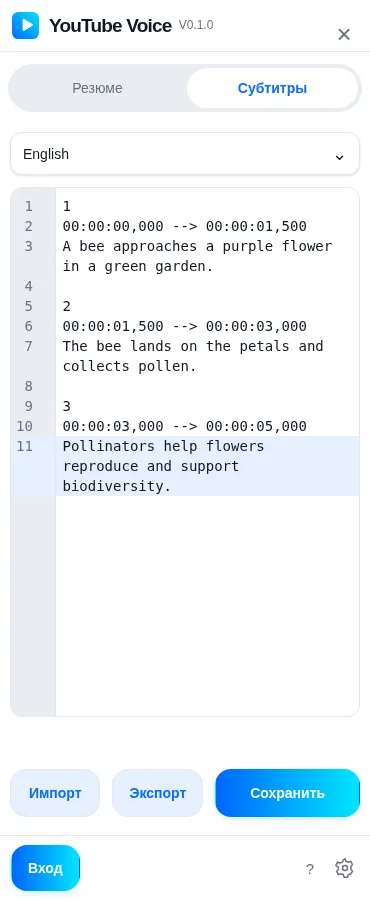
Section titled “Choose a source”- Open the side panel beside the video and select the subtitles tab.
- Choose an available platform track, AI subtitles, a saved version or manual input.
- Review the text and timing before saving your version.
SRT structure
Section titled “SRT structure”Each SRT cue contains a number, a start and end time, and its text. Separate cues with a blank line. End times must follow start times, and cues must remain in chronological order.
100:00:01,000 --> 00:00:03,000Welcome to YouTube Voice.
200:00:03,500 --> 00:00:05,000Choose your listening language.
Save and export
Section titled “Save and export”Export downloads an SRT file. Saving a personal version requires signing in and associates the subtitles with your account and the current video; select My subtitles to reuse that version for translation and dubbing. Before saving, fix empty files, missing or out-of-order cue numbers, malformed timestamps, an end before its start, and missing cue text. A validation error identifies the cue to correct. Keep an exported copy before making substantial changes.